
If your announcement bar isn't showing up on your storefront, don't worry! This is usually due to a simple configuration setting. Please follow these 3 quick steps to get it live.
Step 1: Enable Annify in "App Embeds" (Most Common)
Shopify's Online Store 2.0 themes require you to manually enable apps in the theme editor to display content.
Go to Online Store > Themes in your Shopify Admin.
Click the Customize button for your current live theme.
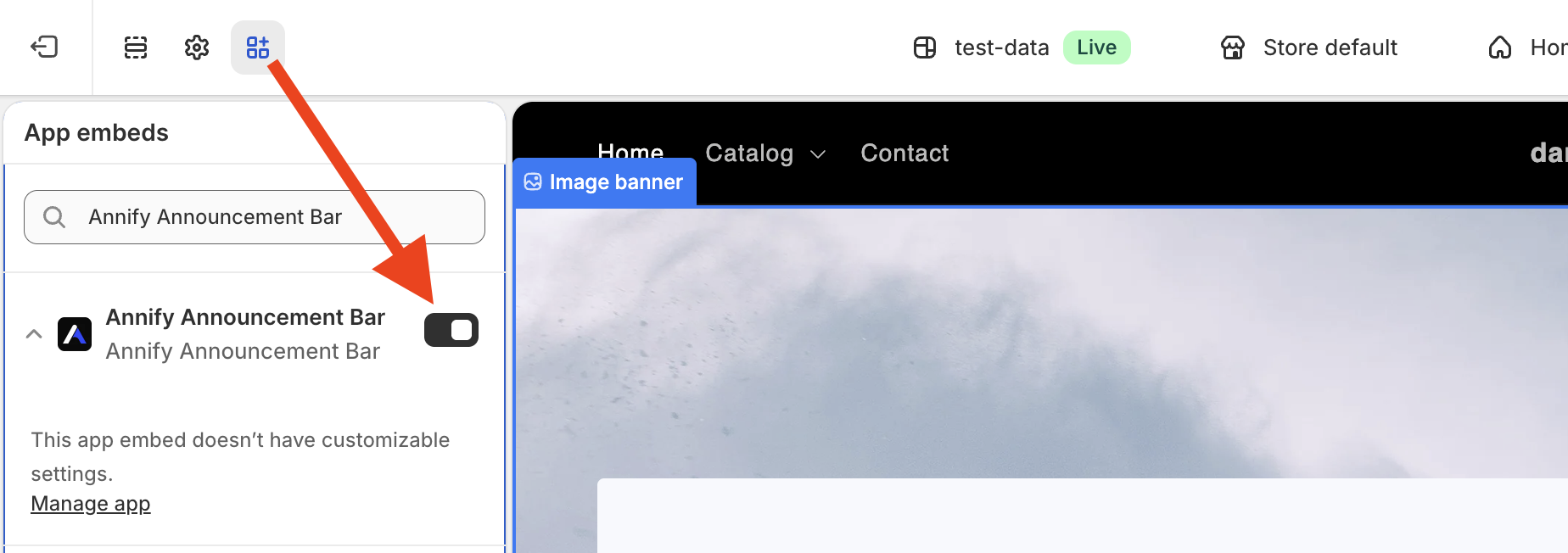
On the left sidebar, click the App embeds icon (the third icon from the top).
Find Annify in the list and toggle the switch to ON.
Important: Click the Save button in the top-right corner.
Step 2: Check the "Published" Status
Ensure that your announcement bar is actually active and not just saved as a draft.
Open your Annify Dashboard.
Locate the specific announcement bar you are working on.
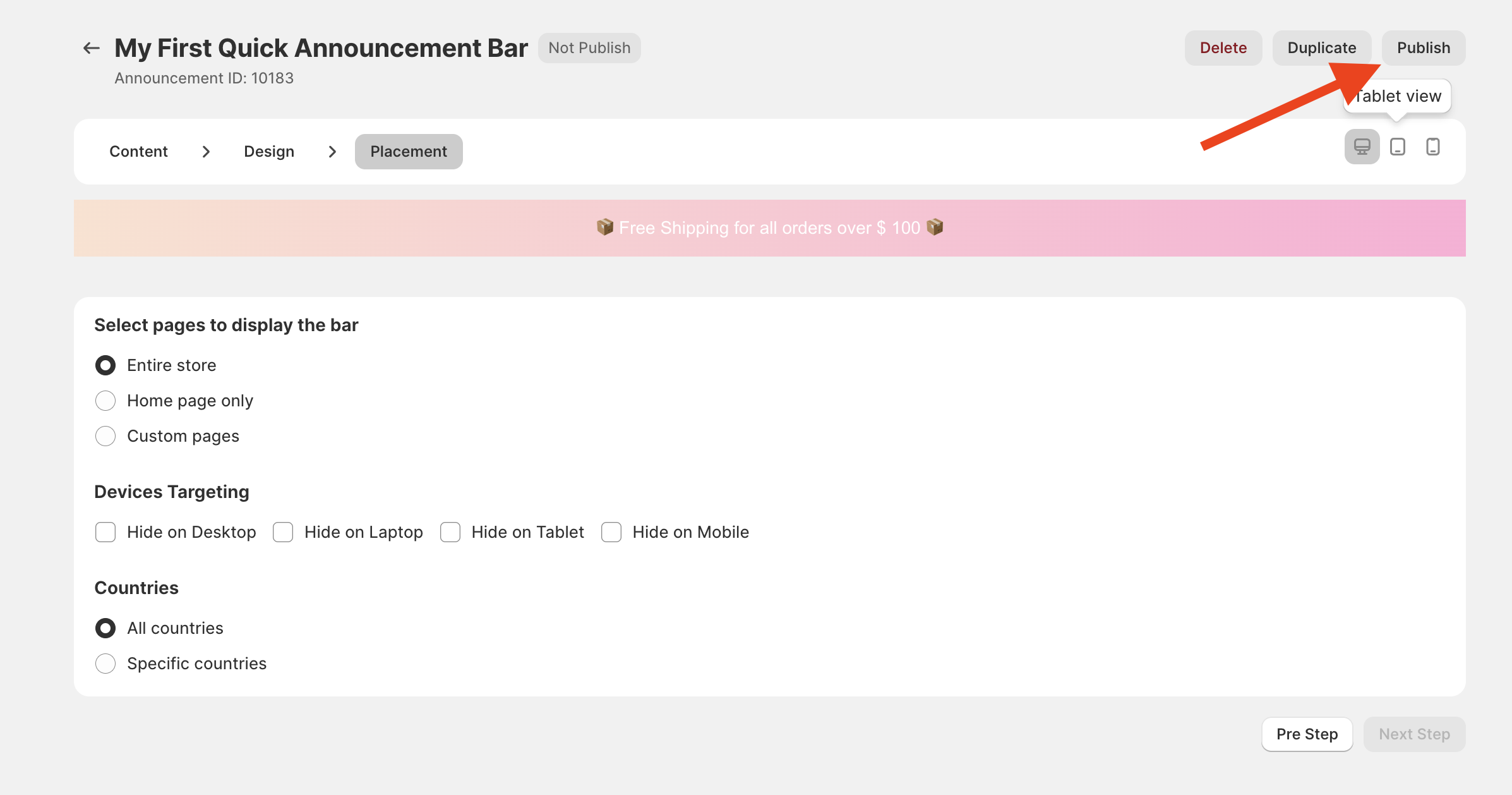
Check the Status of it. If it shows "Inactive", open the announcement bar and click the Publish button.
Step 3: Verify Placement & Targeting Settings
If the bar is active but still hidden, you might have restricted where or to whom it should appear.
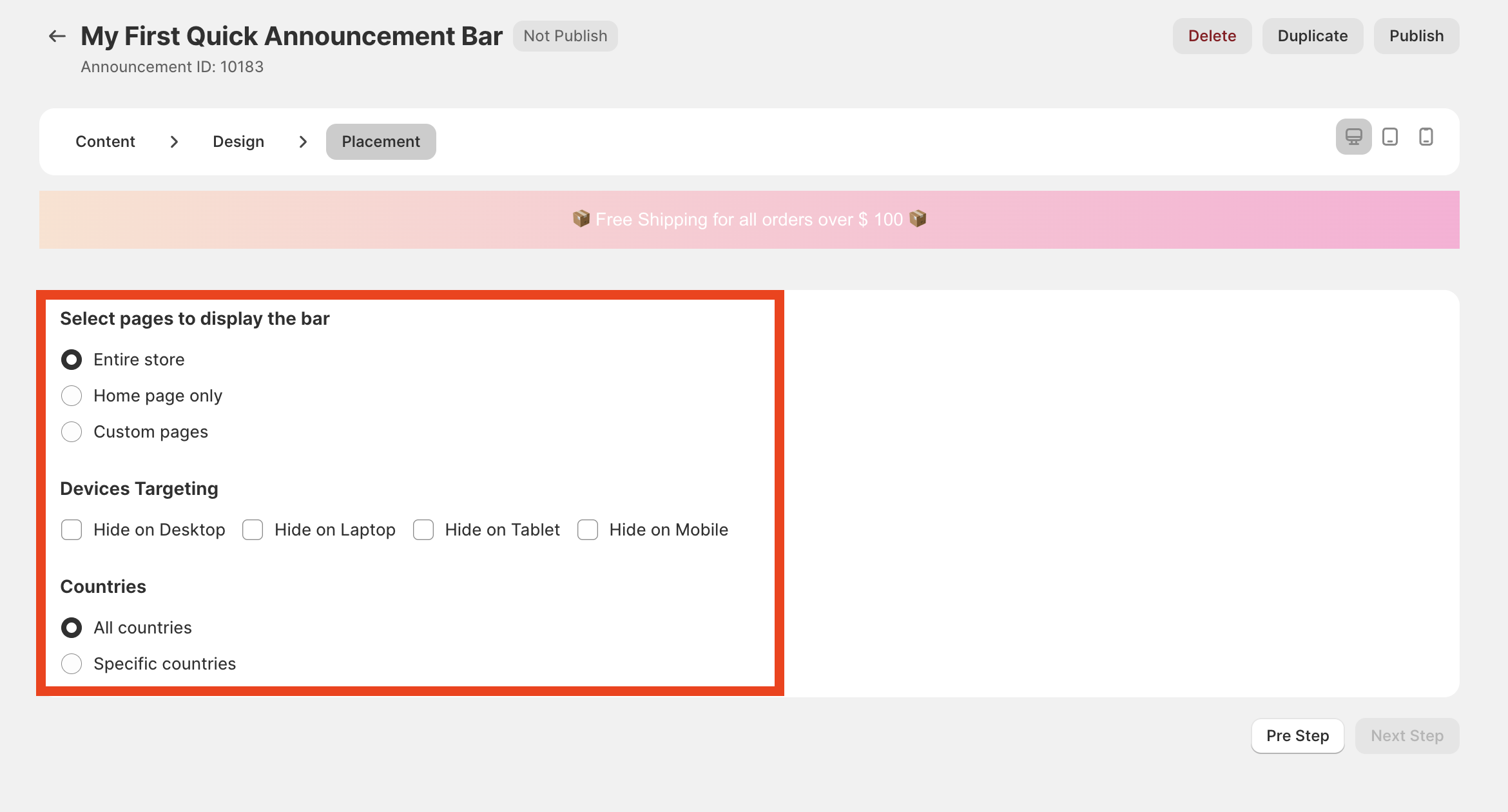
Inside the bar settings, go to the Placement tab.
Page Visibility: Check if it’s set to "All Pages" or specific URLs. If it's a specific URL, make sure you are testing on that exact page.
Device Targeting: Check if the bar is set to show on "Mobile only" or "Desktop only."
Geo-Targeting: Ensure you haven't restricted the bar to a country different from your current location.
Still not seeing it? Try these quick tips:
Check in Incognito Mode: Sometimes your browser's cache shows an old version of your site. Open your store in a private/incognito window to verify.
App Conflicts: If you use other "Announcement Bar" or "Speed Optimization" apps, they might conflict with Annify. Try disabling them temporarily to test.
Need Assistance?
We’re here to assist! Feel free to reach out via live chat or email us at [email protected] for help.