
Please follow the instructions below to create a simple announcement bar for your store.
Log in to your Annify dashboard.
Navigate to Quick Start menu.
Click Select button below Running Announcement.
Select an announcement bar template, add a Name for the announcement bar, and click the Save button.
Modify Content of the announcement bar.
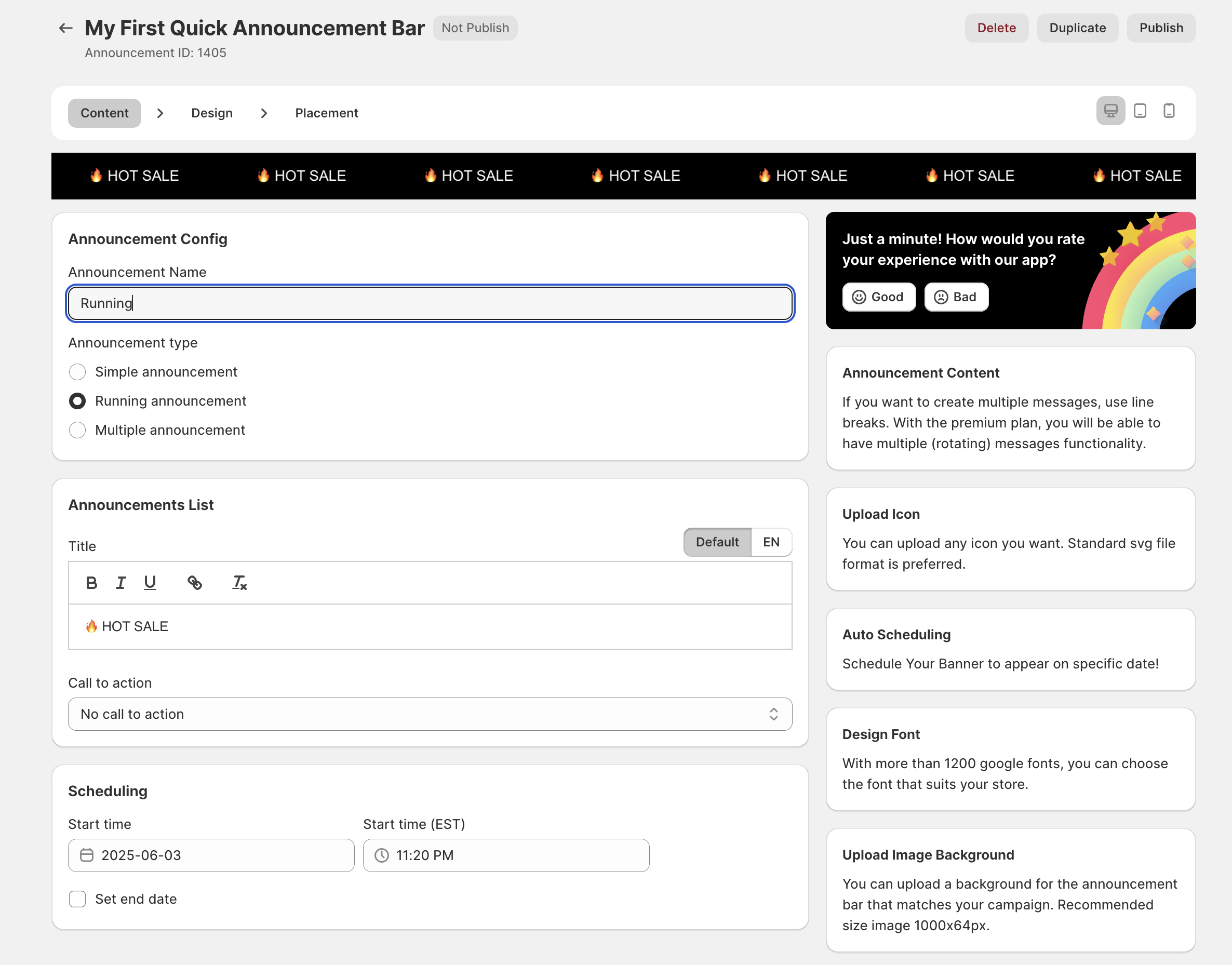
Announcement Config: You can edit Name of the announcement and select other types of announcements.
Announcements List: Add announcement content, subheading, call to action, link to call to action, and icon.
Scheduling: You can schedule a time to display your announcement.
Modify Design announcement bar.
Template: You can select the bar's position, set whether the announcement bar is sticky, show or hide the close button, set text run left to right (announcement bar right to left by default), and design it.
Background: Customize the announcement bar color and close icon.
Announcements List Design: modify the title and heading sizes and colors in the announcement list.
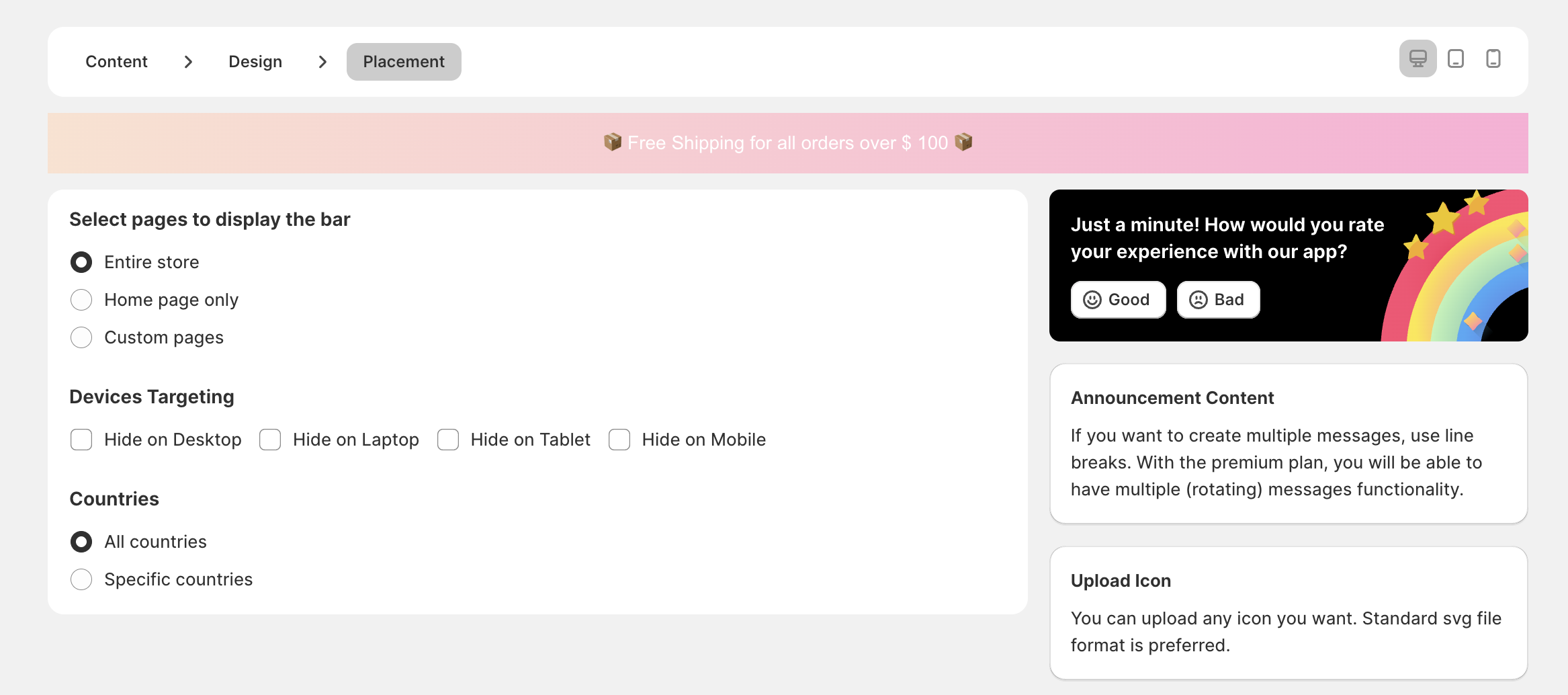
Set Placement of the announcement bar: Select pages, devices, and countries to display the announcement bar.
Need Assistance?
We’re here to assist! Feel free to reach out to us via live chat or email at [email protected] for assistance.